
 EN
 简体中文
 Español
 Français
VOS3000 2.1.6.00
An older VOS3000 version that some switches still run: where to get its client, what the client needs, and how to plan a move to 2.1.9.07.
Updated · By the VOS3000 Web team
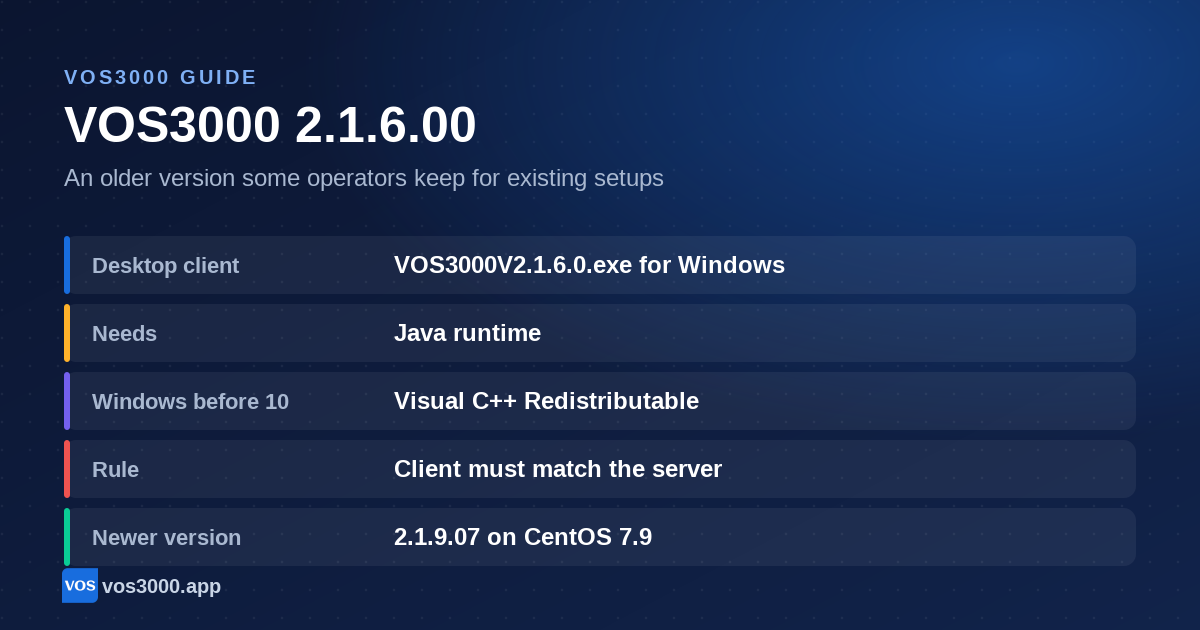
Quick answer: VOS3000 2.1.6.00 is an older version that some operators keep for existing setups. Its Windows client is on our Downloads page and needs the Java runtime; on Windows versions before 10 it may also need the Visual C++ Redistributable. The client must match the server exactly. For a new server, choose 2.1.9.07.
- Desktop client
- VOS3000V2.1.6.0.exe, about 44 MB
- Client needs
- Java runtime, on our Downloads page
- Check your version
- SSH login banner (/etc/motd)
- Newer version
- 2.1.9.07 on CentOS 7.9
VOS3000 2.1.6.00 is an older version of the softswitch. Some operators keep it because an existing setup works and they do not want to touch it. It has its own Windows client, and that client is older than the ones for 2.1.8.00 and later: it needs a separate Java runtime.
What we know about 2.1.6.00
By its number, 2.1.6.00 sits between 2.1.4.0, whose manual is dated 2013, and 2.1.7.01, whose manual is dated 2017. We do not have a 2.1.6.00 manual, and we know of no public changelog, so we cannot say which features it added, when it was released or which operating system it was built for. If you need the details, check your own server.
For what the documented versions added, see VOS3000 version history. It compares the 2.1.4.0, 2.1.7.01, 2.1.8.00 and 2.1.9.07 manuals.
Download the 2.1.6.00 client
The official Windows client is on our Downloads page (direct download, about 44 MB). It manages 2.1.6.00 servers only. The client must match the server version exactly, so a 2.1.8.00 or 2.1.9.07 client will not log in to a 2.1.6.00 server.
Set up the client on Windows
- Download the Java runtime from our Downloads page and install it.
- On Windows versions before 10, also install the Visual C++ Redistributable from the same page if the client does not start.
- Download VOS3000V2.1.6.0.exe and run it to install the client.
- Start the client and enter your server IP address, user name and password.
- If the login fails, check that your PC's IP address is allowed to reach the server, and that the server really runs 2.1.6.00.
Is 2.1.6.00 still a good choice?
For a switch that already runs on it, often yes: carriers, customers and rates are set up, and nothing forces a change. For a new server, it is not the best start. Each person who manages it needs Java on their PC, the client is the oldest we offer, and you cannot compare its features with a manual. Starting on 2.1.9.07 avoids all three.
Check your version
Not sure which version your server runs? Connect to the server by SSH. The version is shown in the login banner, which comes from the /etc/motd file. You can also see it with:
cat /etc/motdThen pick the matching client. Using a client of the wrong version is the most common reason a login does not work. Once you are signed in, the client also shows the version.
Moving to 2.1.9.07
If your 2.1.6.00 switch works, there is no hurry. But a newer version means a current client with no separate Java, and the tools later manuals document. For a new server, choose VOS3000 2.1.9.07, on CentOS 7.9.
- Take a full backup of your 2.1.6.00 server first, and keep a copy off the server.
- Set up 2.1.9.07 on a new server and test it before you move traffic. Do not assume that data from an old version will import cleanly; check accounts, rates and gateways by hand.
- Install the 2.1.9.07 client on the PCs that manage the switch.
- Check that carriers and customers can reach the new server IP, and switch over at a quiet hour.
See VOS3000 versions to compare the four versions in use. You can order 2.1.6.00 or 2.1.9.07 hosted by us or installed on your own server, and VOS3000 Web supports 2.1.6.00 as well.
Questions about this topic
Where can I download the VOS3000 2.1.6.00 client?
On our Downloads page. The file is VOS3000V2.1.6.0.exe, about 44 MB. Use it only with 2.1.6.00 servers.
Does the 2.1.6.00 client need Java?
Yes. Install the Java runtime from our Downloads page first. Clients from 2.1.8.00 on do not need a separate Java runtime.
Can I manage a 2.1.6.00 server with the 2.1.9.07 client?
No. The client must be the same version as the server. Use the 2.1.6.00 client, or VOS3000 Web in a browser.
What changed in 2.1.6.00?
We have no 2.1.6.00 manual and there is no official changelog, so we cannot list its changes. Our version history page compares the versions that have manuals.
Run VOS3000 without the server work
Pick a VOS3000 server hosted by us, or have us install VOS3000 on your own server. VOS3000 Web and the Android app come with it.
Keep reading
VOS3000 versions
Compare 2.1.9.07, 2.1.8.05, 2.1.8.00 and 2.1.6.00 and download the matching client.
VOS3000 2.1.8.00
What 2.1.8.00 runs on, its client download, and moving to 2.1.9.07.
VOS3000 2.1.9.07
The latest VOS3000 version: what it runs on, the client and how to get it.
VOS3000 client vs VOS3000 Web
The desktop client or a browser panel: what each is for and when to use it.