
 EN
 简体中文
 Español
 Français
New system parameters in VOS3000 2.1.9.07
Ten parameter names appear in the 2.1.9.07 manual and nowhere in the 2.1.8.00 manual. Here they are, with what the manual says and what it leaves out.
Updated · By the VOS3000 Web team
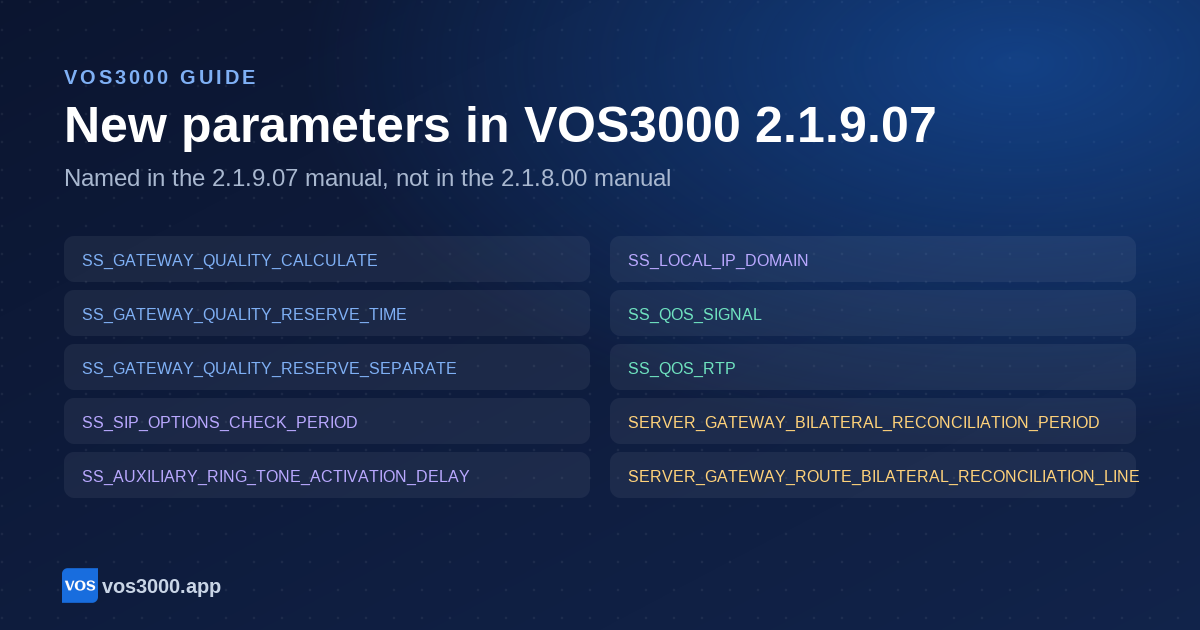
Quick answer: The VOS3000 2.1.9.07 manual names ten system parameters that the 2.1.8.00 manual does not: three SS_GATEWAY_QUALITY_ parameters for routing quality, SS_SIP_OPTIONS_CHECK_PERIOD, SS_AUXILIARY_RING_TONE_ACTIVATION_DELAY, SS_LOCAL_IP_DOMAIN, SS_QOS_SIGNAL, SS_QOS_RTP and two bilateral reconciliation parameters. Its parameter table gives no defaults for any of them.
- New names
- 10, all in the manual body text
- Defaults in the manual
- Only ranges for the two reconciliation parameters
- Replaced
- SS_GATEWAY_ASR_CALCULATE, SS_GATEWAY_ACD_CALCULATE
- Where
- Mostly Softswitch management > Additional settings > System parameter
How this list was made
We took every parameter name from the 2.1.8.00 manual (Issue 01, 2018-12-06) and the 2.1.9.07 manual (Issue 03, 2021-12-30), joined the names that the parameter tables wrap across lines, and compared them. There is no manual for 2.1.8.05, so some of these may already exist there.
One surprise: the parameter table at the back of the 2.1.9.07 manual lists the same parameters as the 2.1.8.00 table. The new names below appear only in the body text, in the gateway chapters and the new supplement sections. So the manual gives no default for most of them. Check the value on your own server before you change it. For the parameters most operators use, see VOS3000 system parameters.
Parameters new in the 2.1.9.07 manual
| Parameter | Default | What the manual says |
|---|---|---|
| SS_GATEWAY_QUALITY_CALCULATE | Not stated | Default for Calculate routing quality in real time on routing gateways. |
| SS_GATEWAY_QUALITY_RESERVE_SEPARATE | Not stated | Number of slices the ASR calculation is split into. |
| SS_GATEWAY_QUALITY_RESERVE_TIME | Not stated | Length of the whole window. Slice length = TIME / SEPARATE; the ASR at a moment is the mean of the last slices. |
| SS_SIP_OPTIONS_CHECK_PERIOD | Not stated | How often SIP OPTIONS are sent to routing gateways with Options online check. See SIP OPTIONS checks. |
| SS_AUXILIARY_RING_TONE_ACTIVATION_DELAY | Not stated | Wait after the callee's SDP before the Auxiliary ring tone plays, if no RTP has arrived. |
| SS_LOCAL_IP_DOMAIN | Not stated | Domain used in the From header when Enable local domain name is ticked. |
| SS_QOS_SIGNAL | Not stated | QoS value written in the IP header of signalling packets. |
| SS_QOS_RTP | Not stated | The same for media (RTP) packets. |
| SERVER_GATEWAY_ROUTE_BILATERAL_RECONCILIATION_LINE | Range 1-10000 | Routing gateway bilateral reconciliation simultaneously limit. |
| SERVER_GATEWAY_BILATERAL_RECONCILIATION_PERIOD | Range 10-10080 minutes | Routing gateway bilateral reconciliation period. |
Where to set them
The manual places the SS_ parameters under Operation management > Softswitch management > Additional settings > System parameter. For the two SERVER_ parameters it gives no menu path; other SERVER_ parameters are under System management > System parameter, so look there first.
About the QoS example: the manual shows a captured packet with the Differentiated Services field 0xa0 and says a0 is the hex of the value set in the parameter. That suggests the value covers the whole byte, DSCP and ECN bits together, not only the DSCP part. Check with a packet capture, and agree the value with whoever runs the network.
Renamed and replaced
- SS_GATEWAY_ASR_CALCULATE and SS_GATEWAY_ACD_CALCULATE (2.1.8.00 body text) are replaced by SS_GATEWAY_QUALITY_CALCULATE. The 2.1.9.07 table still lists the old names, default Off.
- The QUALITY_RESERVE example uses 10 slices and 600 seconds. Those are the defaults the table gives for the older SS_GATEWAY_ASR_RESERVE_SEPARATE and SS_GATEWAY_ASR_RESERVE_TIME. The manual does not say they are the same setting.
- SS_EXTERNAL_REWRITE_TYPE keeps its name, but its description changes from External rewrite method to External dial plan method, in line with dial plans.
- The media proxy section adds the value Must On to SS_MEDIAPROXYMODE. See media proxy.
Explained in 2.1.9.07, but not new
These have new explanation sections in 2.1.9.07 but are already in the 2.1.8.00 table, with the same defaults:
- NAT keep: SS_SIP_NAT_KEEP_ALIVE_MESSAGE (HELLO), SS_SIP_NAT_KEEP_ALIVE_PERIOD (30 s), SS_SIP_NAT_KEEP_ALIVE_SEND_INTERVAL (500 ms) and SS_SIP_NAT_KEEP_ALIVE_SEND_ONE_TIME (3000 per time).
- SIP timer: SS_SIP_SESSION_TIMEOUT_EARLY_HANGUP (0), SS_SIP_SESSION_TTL (600) and SS_SIP_SESSION_UPDATE_SEGMENT (2). See SIP timeouts.
- Pickup call transfer: SS_CALL_TRANSFER_WAIT_ACCESS_KEY (*3), SS_CALL_TRANSFER_WAIT_ACCESS_TIMEOUT (120) and SS_CALL_TRANSFER_END_KEY (#).
How to change a parameter safely
- Write down the current value, or take a screenshot, before you edit it.
- Change one parameter at a time, at a quiet hour.
- Where a gateway has its own setting, try it on one gateway first instead of changing the system default for all.
- Make a test call and check the CDR. If the change does not take effect, restart the matching service; see restart VOS3000 services.
- Watch ASR and ACD for the next hours and roll back if they drop.
For the full feature list, see what is new in VOS3000 2.1.9.07. To run 2.1.9.07, get it hosted by us.
Questions about this topic
What is the default of SS_GATEWAY_QUALITY_CALCULATE?
The 2.1.9.07 manual does not give one. Its parameter table still lists the older SS_GATEWAY_ASR_CALCULATE, default Off. Check the value on your own server.
Where is SS_SIP_OPTIONS_CHECK_PERIOD set?
In the softswitch system parameters: Operation management > Softswitch management > Additional settings > System parameter. It applies to every routing gateway with Options online check ticked.
Are the NAT keep parameters new in 2.1.9.07?
No. SS_SIP_NAT_KEEP_ALIVE_MESSAGE, _PERIOD, _SEND_INTERVAL and _SEND_ONE_TIME are already in the 2.1.8.00 parameter table. 2.1.9.07 only adds a section that explains them.
Do I need to restart VOS3000 after changing a parameter?
The manual does not say for each parameter. Change one at a time, test with a call, and restart the matching service at a quiet hour if the change does not take effect.
Run VOS3000 without the server work
Pick a VOS3000 server hosted by us, or have us install VOS3000 on your own server. VOS3000 Web and the Android app come with it.
Keep reading
System parameters
Where the SERVER_ and SS_ parameters are, and the billing, CDR and call ones worth knowing.
What's new in VOS3000 2.1.9.07
What the 2.1.9.07 manual adds over 2.1.8.00: geofencing, Modify Cdr, routing quality, OPTIONS checks, new reports and renamed settings.
Routing order and LCR
How VOS3000 sorts routing gateways: prefix, priority, ASR, lowest rate, and when it fails over.
SIP OPTIONS checks on routing gateways
Options online check: how VOS3000 probes a carrier with OPTIONS, switches IP and port, and stops using a dead route.