
 EN
 简体中文
 Español
 Français
Calls drop at a fixed time: match the time to the cause
A call that drops at a random moment is a network problem. A call that drops at the same second every time is a timer. Find which one.
Updated · By the VOS3000 Web team
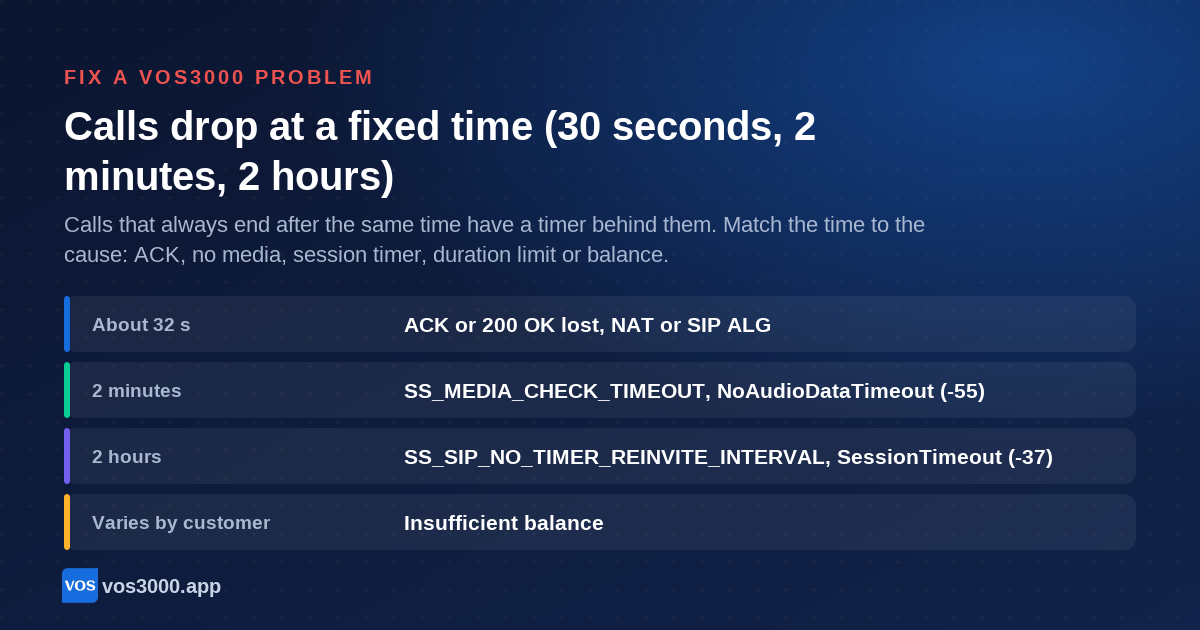
Quick answer: When VOS3000 calls end after the same time again and again, a timer is the cause. About 32 seconds after answer usually means the ACK never arrived (NAT or SIP ALG). 2 minutes is SS_MEDIA_CHECK_TIMEOUT, no audio. 2 hours is SS_SIP_NO_TIMER_REINVITE_INTERVAL (7200 s). A round number you chose is SS_MAX_CALL_DURATION or the gateway's Conversation limitation.
- About 32 s
- ACK or 200 OK lost, NAT or SIP ALG
- 2 minutes
- SS_MEDIA_CHECK_TIMEOUT, NoAudioDataTimeout (-55)
- 2 hours
- SS_SIP_NO_TIMER_REINVITE_INTERVAL, SessionTimeout (-37)
- Varies by customer
- Insufficient balance
Before you change anything, collect three facts for a few dropped calls: the call duration, the Termination reason and the Hangup side from the CDR. The duration tells you which timer to suspect. The reason and side tell you whether VOS3000 ended the call or the far end did. Look up any code in the termination reason lookup.
Match the time to the cause
| Call ends after… | Likely cause | What to check |
|---|---|---|
| About 30 to 32 seconds after answer | The ACK for the 200 OK never arrived, or the 200 OK never reached the caller. | NAT, SIP ALG, a private address in Contact. See SIP ALG and NAT. |
| 2 minutes, never answered | Ringing timeout. | SS_SIP_TIMEOUT_RINGING (120 s) or the routing gateway's own value. |
| 2 minutes after answer, no audio | No media reached VOS3000. | SS_MEDIA_CHECK_TIMEOUT (2 minutes); reason NoAudioDataTimeout (-55). |
| Soon after the audio stops | RTP interrupt detection on a gateway. | Which direction it checks, and why the audio stopped. |
| About 5 or 10 minutes | A session timer refresh got no reply. | SS_SIP_SESSION_TTL (600 s), re-INVITE or UPDATE lost behind NAT; reason SessionTimeout (-37). |
| Exactly 2 hours | Caller without session timers. | SS_SIP_NO_TIMER_REINVITE_INTERVAL (7200 s); reason SessionTimeout (-37). |
| A round number you once set | Duration limit. | The gateway's Conversation limitation, or SS_MAX_CALL_DURATION. |
| Different for each customer | The account ran out of money. | Reason Insufficient balance; see overdraft and credit. |
About 32 seconds: the lost ACK
This is the most common fixed-time drop in SIP. After a call is answered, the answering side sends 200 OK and waits for an ACK. It resends the 200 OK until the ACK arrives. If none comes within about 32 seconds, it gives up and sends BYE. The talk works for half a minute, then the call ends.
VOS3000's own resend schedule, SS_SIP_RESEND_INTERVAL, is 0.5,1,2,4,4,4,4,4,4,4 by default, which adds up to 31.5 seconds, close to the same point.
The usual reasons the ACK goes missing:
- A private IP in the Contact header, so the ACK is sent to an address nobody can reach.
- A router with SIP ALG rewriting some headers but not others.
- A firewall that lets the INVITE in but blocks the reply path.
Capture one call and check whether the 200 OK repeats and the ACK never shows; see debug trace and SIP capture.
2 minutes: no media
SS_MEDIA_CHECK_TIMEOUT hangs up a call when VOS3000 receives no audio for 2 minutes. On each gateway, RTP interrupt detection can also end calls: None, Server to remote, Remote to server or Bidirection, where a silent side on either leg interrupts the call. Both protect you from billing dead calls. If they fire, the audio path is broken. Start with one-way audio and media proxy, not with the timer.
Session timers and the 2-hour limit
For devices that support session timers, VOS3000 checks the call within SS_SIP_SESSION_TTL (600 s) and hangs up if nothing confirms it. SS_SIP_SESSION_UPDATE_SEGMENT (2, range 2 to 10) sets how often re-INVITE or UPDATE is sent within that interval. If a NAT drops the refresh, the call ends at a refresh point. The manual's Session timeout reason covers this case.
For callers that do not support session timers, SS_SIP_NO_TIMER_REINVITE_INTERVAL (7200 s) ends the call when the time is up. That is the 2-hour drop. The full list of timers is on SIP timeouts.
If the Hangup side is the far end, the timer may be theirs. Many carriers run their own session timer and send BYE when a refresh fails.
Duration limits you set
Conversation limitation (seconds) on a routing or mapping gateway sets the maximum call duration for that gateway. None means no limit, and Default uses SS_MAX_CALL_DURATION, which is None by default. A limit of a few hours is a sensible guard against stuck calls and fraud; a limit of minutes, left from a test, causes drops that look like a fault. Check both gateways of the call.
Balance and anti overdraft
A call can also stop because the account has no money left. The time then depends on the balance, the Overdraft limit and the rate, so it differs per customer. With Enable anti overdraft on, VOS3000 advances money for the call in steps of SERVER_BILLING_PREVENT_OVERDRAFT_ADVANCE_TIME minutes (default 1). The CDR shows Insufficient balance.
In VOS3000 Web
In VOS3000 Web, our browser panel, the CDR page shows Call duration, Termination reason and Hangup side for each call. Filter by mapping or routing gateway and compare the durations: fixed-time drops repeat the same value.
Questions about this topic
Why do my VOS3000 calls drop after 30 seconds?
Most often the ACK for the 200 OK never arrives, so the side that answered gives up after about 32 seconds of resends. Look for NAT, SIP ALG or a private address in Contact.
Why do calls end after exactly 2 minutes with no audio?
VOS3000 hangs up calls that receive no media for SS_MEDIA_CHECK_TIMEOUT, 2 minutes by default. The CDR shows NoAudioDataTimeout (-55). Fix the audio path rather than raising the timer.
Why do long calls end at 2 hours?
The caller's device does not support session timers, so VOS3000 ends the call after SS_SIP_NO_TIMER_REINVITE_INTERVAL, 7200 seconds by default.
How do I find which side hung up?
Open the call in the CDR and read Termination reason and Hangup side. If the reason comes from the far end, the timer is on their side, not in VOS3000.
Run VOS3000 without the server work
Pick a VOS3000 server hosted by us, or have us install VOS3000 on your own server. VOS3000 Web and the Android app come with it.
Keep reading
SIP timeouts and call limits
INVITE and ringing timeouts, session timer, the 2-hour limit, no-media hang up and max call duration.
SIP ALG and NAT problems
One-way audio, dropped registrations and 408s behind routers: turn off SIP ALG, keep NAT open, use media proxy.
Termination reason lookup
Type a code like -55 or 486, or a name, and see what it means.
Overdraft limit and anti overdraft
Current balance, Overdraft limit, Advance amount and Enable anti overdraft: what stops an account going past its credit.