
 EN
 简体中文
 Español
 Français
Network test and route quality in VOS3000
Before you blame a carrier for bad audio, measure the path. VOS3000 can show delay and loss per gateway and test any IP on demand.
Updated · By the VOS3000 Web team
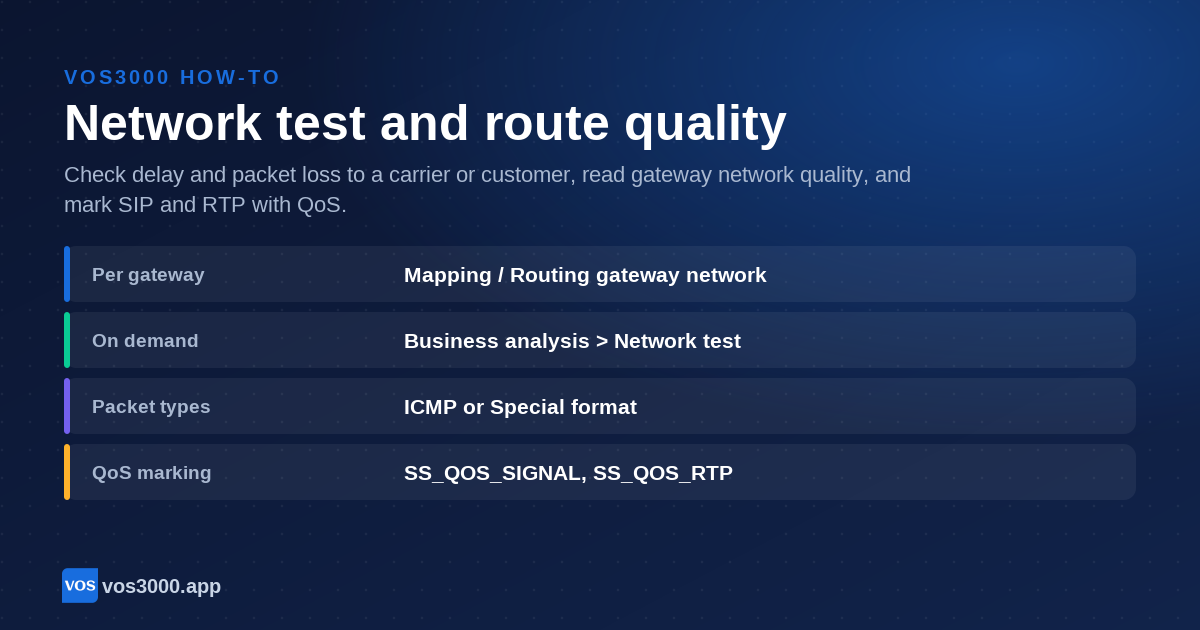
Quick answer: VOS3000 shows Network quality, Packet loss rate and Network delay (ms) for every gateway in Mapping gateway network and Routing gateway network. To test one IP on demand, use Business analysis > Network test with an ICMP or Special format packet. SS_QOS_SIGNAL and SS_QOS_RTP set the DSCP value on SIP and RTP packets.
- Per gateway
- Mapping / Routing gateway network
- On demand
- Business analysis > Network test
- Packet types
- ICMP or Special format
- QoS marking
- SS_QOS_SIGNAL, SS_QOS_RTP
Choppy audio, gaps and long delays usually come from the network between your switch and a customer or carrier, not from the switch itself. VOS3000 gives you three places to look: the network figures it keeps for every gateway, a test you can run against any IP, and the call results per gateway.
Network quality per gateway
Two lists show the network status of all gateways at once:
- Navigation > Operation management > Gateway operation > Mapping gateway network: your customers.
- Navigation > Operation management > Gateway operation > Routing gateway network: your carriers.
Both have the same columns:
| Column | What to look for |
|---|---|
| Gateway name and Remote ip | Which gateway and which address the figures belong to. |
| Network quality | The overall state of the path; compare gateways against each other. |
| Packet loss rate | Lost packets mean missing audio. Anything that stays above zero is worth a look. |
| Network delay (ms) | The delay to that IP. High delay makes people talk over each other and makes echo easier to hear. |
Test one IP: Network test
To test a new carrier before you send traffic, or to check a customer who complains, open Navigation > Operation management > Business analysis > Network test. You can also right-click a routing or mapping gateway and choose Network test.
- Enter the Remote ip and the Configuration port to test.
- Pick the Local ip, the authorised address on your server that the test is sent from.
- Choose the Packet type: ICMP tests the network in a generic way, like ping; Special format uses VOS3000's own packet format, for testing towards VOS products.
- Run the test and read the results.
Many carriers drop ICMP. If ICMP shows total loss but calls connect, the far end is filtering ping, not losing audio. Run tests at your busy hour as well as at quiet times: congestion often shows only under load.
Call results per gateway: Gateway status
Navigation > Operation management > Gateway management > Gateway status counts calls per gateway since the Starting time: Total calls, Success, Callee rejected, Trunk error, Network error and Caller abandon, with Average talk duration and Total call time. A rising Network error count next to a high packet loss rate points at the path, not the carrier's capacity. For a gateway you want to keep an eye on, right-click it and choose Condition monitor.
Alarms and real-time ASR
In Navigation > Alarm management > Alarm settings, Routing alarm and Mapping alarm have a Routing packet loss rate and a Mapping packet loss rate alarm type, so you hear about loss without watching the lists.
Call success is tracked separately. With Real time computing asr on a routing gateway, the online routing gateway list shows Routing asr, and VOS3000 can use it when it sorts routes (see routing order). The manual's supplement explains the time window: SS_GATEWAY_QUALITY_RESERVE_TIME divided by SS_GATEWAY_QUALITY_RESERVE_SEPARATE gives the length of each period. With 600 and 10, each period is 60 seconds and the ASR at any moment is the mean of the last 10 periods. In the system parameter list the same settings appear as SS_GATEWAY_ASR_RESERVE_TIME (600 seconds by default, 300 to 86400) and SS_GATEWAY_ASR_RESERVE_SEPARATE (10 by default, 5 to 24).
Mark SIP and RTP with QoS
If your own network or a private link to a carrier gives priority to voice, VOS3000 can mark its packets. Two softswitch system parameters set the value: SS_QOS_SIGNAL for signalling and SS_QOS_RTP for media. VOS3000 writes the value into the Differentiated Services field of the IP header; the manual's example shows 0xa0 in a capture, where a0 is the parameter value in hex.
Agree the values with whoever runs the network. A common convention is EF (DSCP 46) for RTP and CS3 (DSCP 24) for SIP. Check the result with a capture (see debug trace and SIP capture): the field must show the value your routers expect. On the public internet, providers often ignore these marks.
What the numbers mean for calls
- Delay: one-way delay under about 150 ms is comfortable. Beyond that, people notice; see echo and delay.
- Packet loss: lost RTP is lost speech. G.729 hides small loss a little better than G.711, but neither hides bursts.
- Jitter: uneven packet arrival. Phones buffer to smooth it, which adds delay.
If the network is clean but audio still fails in one direction, the cause is usually NAT or media handling; see one-way audio and media proxy.
Questions about this topic
Why does the ICMP network test fail when calls still work?
Many carriers block ping on their SIP servers. A failed ICMP test then says nothing about the route; judge it by the gateway network figures and real calls instead.
How much packet loss is too much for voice?
As a rough guide, loss below 1% is rarely heard, a few percent gives clipped words, and more makes calls hard to follow. Loss in bursts is worse than the same loss spread out.
Does VOS3000 choose routes by network quality?
Not by delay or loss. It can sort routing gateways by real-time ASR when you turn that on; delay and loss are for you to watch, and you can set a Routing packet loss rate alarm.
Do DSCP marks help on the public internet?
Usually not much: many providers ignore or reset them. They help on your own network and on private links where the routers are set to honour them.
Run VOS3000 without the server work
Pick a VOS3000 server hosted by us, or have us install VOS3000 on your own server. VOS3000 Web and the Android app come with it.
Keep reading
Echo and delay
Where echo and delay come from on VOS3000 routes and how to find the cause.
Add a routing gateway
Set up a vendor route: prefix, IP and port, priority and least-cost options.
Media proxy
What On, Off, Auto and Must on do, how Auto decides, and what it costs in bandwidth.
SIP OPTIONS checks on routing gateways
Options online check: how VOS3000 probes a carrier with OPTIONS, switches IP and port, and stops using a dead route.