
 EN
 简体中文
 Español
 Français
Prefix mode and number length limits in VOS3000
Your mobile route fails. Should the call fall back to the general route for the country, or stop? Prefix mode decides.
Updated · By the VOS3000 Web team
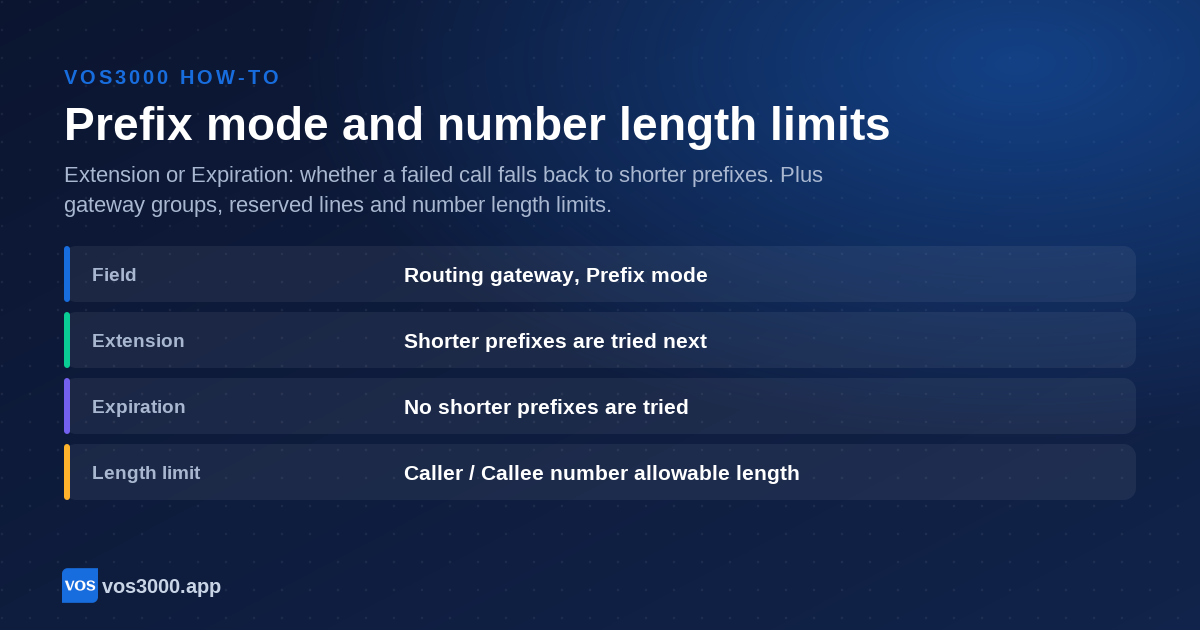
Quick answer: Prefix mode on a VOS3000 routing gateway decides what happens when the gateways on the longest matching prefix cannot deliver a call. Extension lets VOS3000 go on to gateways with shorter prefixes; Expiration ends the search at that prefix. Caller and Callee number allowable length make a gateway accept only numbers of the lengths you list.
- Field
- Routing gateway, Prefix mode
- Extension
- Shorter prefixes are tried next
- Expiration
- No shorter prefixes are tried
- Length limit
- Caller / Callee number allowable length
A routing gateway's Gateway prefix says which called numbers it may carry. The routing order guide explains how VOS3000 sorts the matching gateways. This page covers the edges: what happens when the best prefix fails, when a group of gateways runs short of lines, and when a number has the wrong length.
How a prefix match works
When the called number is not registered on the system, VOS3000 routes it only to gateways whose Gateway prefix matches. One gateway can list several prefixes, separated by commas, and several gateways can share a prefix. The longest match comes first.
For gateways with the same prefix, the manual gives the tie-break order, smallest first: the priority number, the ratio of current calls to channels, the number of historical calls, and the gateway id. Real-time ASR and lowest rate can be added to this order.
Prefix mode: Extension or Expiration
Prefix mode is set on each routing gateway, next to the prefix:
- Extension: if the gateway matched by this prefix cannot deliver the call, shorter prefixes are tried.
- Expiration: no more prefixes are tried.
So Extension makes a specific route a first choice with a general fallback. Expiration makes it the only choice for those numbers.
A note on names. The manual's own example uses the words Terminal and Continual. For the number 90080001, it says that with gw2 set to Terminal the gateways tried are gw2 and gw4, and with gw2 set to Continual they are gw2, gw4, gw3 and gw1. Terminal stops early and Continual goes on, so read Terminal as Expiration and Continual as Extension. Your client may show either pair of words.
Worked example
The called number is 447700900123, a UK mobile number with 12 digits. Three routing gateways can carry it:
| Gateway | Gateway prefix | Priority | Carries |
|---|---|---|---|
| UK-Mobile-A | 447 | 1 | UK mobiles, main carrier |
| UK-Mobile-B | 447 | 2 | UK mobiles, backup |
| UK-All-C | 44 | 1 | All UK numbers, priced for landlines |
- With Extension on A and B, the call goes to A, then B, then C.
- With Expiration on A and B, the call goes to A, then B, and ends there. C is never tried for this number.
Pick Expiration when the shorter route would lose you money or cannot reach those numbers well. Pick Extension when any delivered call is better than a failed one. Check rate and Lowest profit rate limit give a second guard on margin; see lowest profit limit.
The manual describes the mode per gateway but does not say what happens when gateways that share a prefix have different modes. Give them all the same mode. Also remember that "cannot deliver" follows the failover rules: a busy callee, for example, stops the search on any prefix. See carrier failover.
Gateway group and Reserved line
Gateway group puts routing gateways under one shared line limit. The group's line limit restricts the line limit of each gateway in it. Reserved line is the number of lines that must stay free in the group: when the group's remaining lines fall below it, this gateway is not used.
The manual's example: one carrier, 600 lines, two customers. Create group G with a line limit of 600. Gateway A carries customer A, with a line limit of 600 and Reserved line set to none. Gateway B carries customer B, with a line limit of 200 and a Reserved line of 50. Customer B can then use up to 200 lines, but only while G has fewer than 550 calls. Above that, the last 50 lines are kept for customer A.
The manual also combines this with period capacity, so the group's real limit can change by time of day.
Number length limit
Under Number length limit, a gateway has two fields:
- Caller number allowable length: the lengths of calling numbers allowed through the gateway.
- Callee number allowable length: the lengths of called numbers allowed through.
Enter lengths separated by commas, for example 11, 14. Leave the field blank to allow any length. The manual says 0 allows no numbers at all.
In the example above, UK mobiles in this format have 12 digits. Set Callee number allowable length to 12 on A and B, and a short or long number is never sent to the mobile carriers. The manual does not say whether the length is checked before or after the gateway's rewrite rules, so test with a real call if you also use rewrite rules. Dial plans can match by length too; see dial plan patterns.
In VOS3000 Web
In VOS3000 Web, our browser panel, a gateway's Additional Settings have a Number limit section with Caller number allow length and Callee number allow length. You can type a list such as 11,12 or a range such as 10-13, or leave the field empty for any length. Set Prefix mode in the desktop client's routing gateway table; see routing gateway.
Questions about this topic
What does Prefix mode do on a VOS3000 routing gateway?
It decides whether shorter prefixes are tried when the gateway matched by the longest prefix cannot deliver the call. Extension tries them; Expiration does not.
Are Terminal and Continual the same as Expiration and Extension?
The manual's example uses Terminal for the mode that stops at the matched prefix and Continual for the one that goes on to shorter prefixes, so they match Expiration and Extension.
How do I allow only 12-digit numbers on a routing gateway?
Enter 12 in Callee number allowable length. List several lengths with commas, such as 11, 14. Leave it blank to allow any length.
What does Reserved line do?
It keeps lines in a gateway group free for other gateways. When the group's free lines fall below the Reserved line value, the gateway with that setting is not used.
Run VOS3000 without the server work
Pick a VOS3000 server hosted by us, or have us install VOS3000 on your own server. VOS3000 Web and the Android app come with it.
Keep reading
Routing order and LCR
How VOS3000 sorts routing gateways: prefix, priority, ASR, lowest rate, and when it fails over.
Add a routing gateway
Set up a vendor route: prefix, IP and port, priority and least-cost options.
Carrier failover rules
What makes VOS3000 try the next carrier and what stops it: ringing, busy, SDP, RTP start, response codes, timeouts and the switch limit.
Dial plan patterns
Wildcards, number ranges, random digits, kept digits and length rules in VOS3000 dial plans.