
 EN
 简体中文
 Español
 Français
H.323 gateways on VOS3000
Some carriers and old TDM gateways still speak only H.323. VOS3000 can talk to them and pass the calls on to SIP.
Updated · By the VOS3000 Web team
Quick answer: VOS3000 handles H.323 and SIP on the same switch. Set a gateway's Protocol to H323, then tune the H323 tab under Additional settings, Protocol: FastStart, H245Tunneling, H245InSetup, the Q.931 number fields and four signalling timeouts. By default VOS3000 waits 20 seconds for CallProceeding and 120 seconds for Alerting, and sends DTMF as H.245 alphanumeric when the peer gives no capability set.
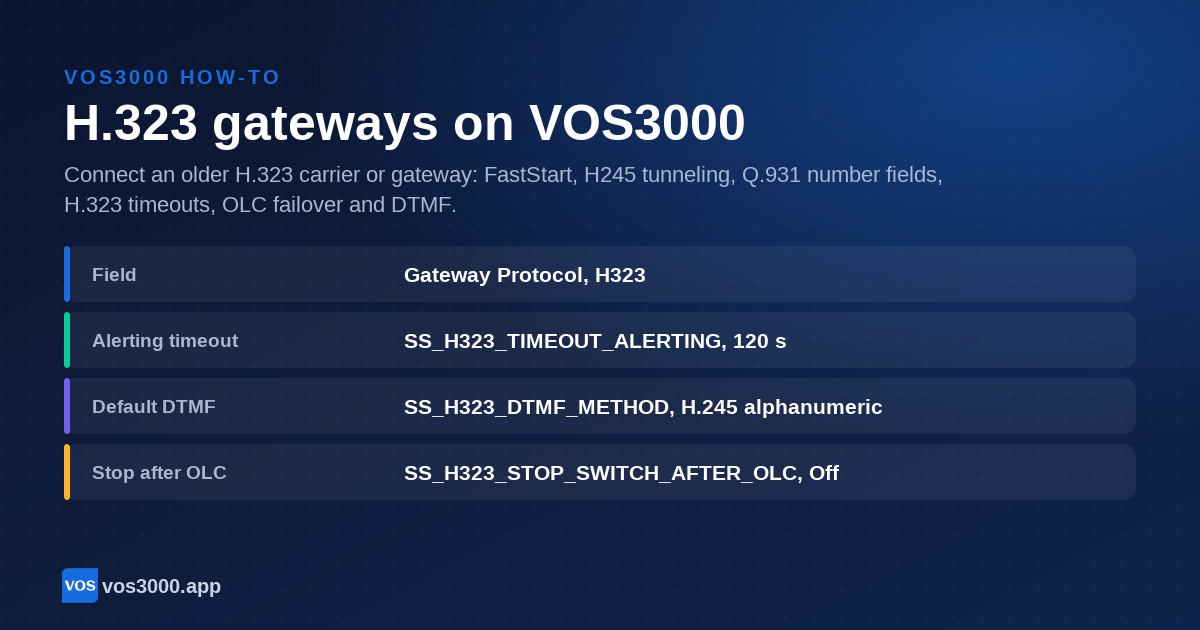
- Field
- Gateway Protocol, H323
- Alerting timeout
- SS_H323_TIMEOUT_ALERTING, 120 s
- Default DTMF
- SS_H323_DTMF_METHOD, H.245 alphanumeric
- Stop after OLC
- SS_H323_STOP_SWITCH_AFTER_OLC, Off
VOS3000 is a SIP and H.323 softswitch. Each routing gateway, mapping gateway and phone has its own protocol, and VOS3000 converts between them, so an H.323 carrier can terminate calls from SIP customers. This page covers the H.323 settings. For SIP carriers see SIP trunk.
Set the protocol
On the gateway, set Protocol to H323. For a phone, the protocol is the one it used to register; for an H.323 phone the Configuration password is its H323ID. H.323 call signalling normally uses TCP port 1720. The H.245 media control channel uses the range in SS_H245_PORT_RANGE, 10000,39999 by default.
The H.323 options are in Additional settings → Protocol → H323. Their defaults come from Operation management → Softswitch management → Additional settings → H323 parameter.
FastStart and H.245
The manual says only "check to enable" for these. In plain terms:
- FastStart: media channels are offered inside the Setup message, so audio opens sooner.
- H245Tunneling: H.245 messages travel inside the Q.931 signalling on the same TCP connection, instead of a second connection.
- H245InSetup: H.245 messages are already sent in the Setup.
- Allow t38: T.38 fax is allowed; see fax and T.38.
Most current H.323 equipment accepts all three. If an old gateway rejects calls or connects with no audio, ask which it supports and turn the others off on that gateway only.
Timeouts
A routing gateway has four signalling timeouts. When one runs out, VOS3000 tries the next gateway or hangs up. The manual gives the names and defaults, not a longer definition.
| Field | Parameter | Default |
|---|---|---|
| Setup | SS_H323_TIMEOUT_SETUP | 5 s |
| CallProceeding | SS_H323_TIMEOUT_CALLPROCEEDING | 20 s |
| CallProceeding(OLC) | SS_H323_TIMEOUT_CALLPROCEEDING_OLC | 20 s |
| Alerting | SS_H323_TIMEOUT_ALERTING | 120 s |
Lower Setup or CallProceeding on a carrier that often goes silent, so the call reaches the next carrier sooner.
Failover after OLC
Stop switch gateway after olc is the H.323 twin of the SIP SDP rule. When it is On, VOS3000 stops trying other gateways once the carrier sends faststart or OpenLogicalChannel (H245). The default, from SS_H323_STOP_SWITCH_AFTER_OLC, is Off. It has no effect when Switch gateway until connect is on.
The same rule changes reports. VOS3000 counts H323 Alerting as ringing. It also counts CallProceeding with OLC as ringing for phones, and for routing gateways that have this option on. See carrier failover.
Q.931 number fields
Some carriers want the called number marked as international. Set it on the routing gateway:
- Q931 NumberingPlan: default UnknownPlan(0), from SS_H323_NUMBERING_PLAN.
- Q931 NumberType: default UnknownType(0), from SS_H323_NUMBER_TYPE.
- Q931 ScreeningIndicator: default None, from SS_H323_SCREENING_INDICATOR.
- Q931 PresentationIndicator: the manual refers to the H.323 standard and gives no default.
In Q.931, number type 1 is international and numbering plan 1 is ISDN/telephony (E.164). Use them only if the carrier asks.
H.323 customers: mapping gateways and phones
A mapping gateway's H323 tab has other options; phones use the same ones under Advanced configuration → Protocol → H323.
- Caller: take the number from CallingPartyNumber, SourceAddress or Display. Callee: CalledPartyNumber or DestinationAddress.
- Q.931 ProgressIndicator: default ProgressInbandInformationAvailable(8), from SS_H323_PROGRESS_INDICATOR.
- Send callproceeding immediately: answer each Setup with CallProceeding at once.
- Convert trying: when the carrier is SIP and replies Trying, send CallProceeding to the H.323 caller.
- Change 183(sdp) to alerting: when the carrier sends 183 with SDP, send Alerting; unchecked, VOS3000 sends CallProceeding.
- Replace failed reason: change the failure reason sent back to the customer.
DTMF
Dtmf send(h323) is Auto by default: VOS3000 picks the method from the receiver's capabilities. If the receiver sends no capability set, it uses SS_H323_DTMF_METHOD, H.245 alphanumeric by default. RFC2833 can only be chosen with media proxy. See codecs and DTMF.
End reasons
H.323 calls end with ReleaseComplete reasons such as UserBusy, NoCircuitChannelAvailable or TimerExpiry. These are the Q.850 names; see Q.850 cause codes.
In VOS3000 Web
VOS3000 Web, our browser panel, creates new gateways as SIP only, so create an H.323 gateway in the desktop client. After that, its Additional Settings in VOS3000 Web have an H323 tab with the four timeouts, the Q.931 fields, FastStart, H245Tunneling, H245 in Setup and Allow t38, and a DTMF tab with Dtmf send(h323).
Questions about this topic
Does VOS3000 still support H.323?
Yes. Every gateway and phone has a Protocol of H323 or SIP, and VOS3000 converts between the two, so an H.323 carrier can serve SIP customers.
What does FastStart do on an H.323 gateway?
It offers the media channels inside the Setup message, so audio can open with fewer round trips. Turn it off if an old device only supports a separate H.245 exchange.
Why does VOS3000 send H.245 alphanumeric DTMF?
Dtmf send(h323) is Auto by default. When the peer sends no capability set, VOS3000 uses SS_H323_DTMF_METHOD, which defaults to H.245 alphanumeric.
How long does VOS3000 wait for an H.323 carrier to ring?
SS_H323_TIMEOUT_CALLPROCEEDING is 20 seconds and SS_H323_TIMEOUT_ALERTING is 120 seconds. When a timer runs out, VOS3000 tries the next gateway or hangs up.
Run VOS3000 without the server work
Pick a VOS3000 server hosted by us, or have us install VOS3000 on your own server. VOS3000 Web and the Android app come with it.
Keep reading
Codecs and DTMF
Auto or specified codecs, transcoding, G729 modes, RFC2833 and SIP INFO.
Carrier failover rules
What makes VOS3000 try the next carrier and what stops it: ringing, busy, SDP, RTP start, response codes, timeouts and the switch limit.
Q.850 cause codes and SIP
Common Q.850 causes, the SIP responses they map to, and what each means for routing and failover.
Add a routing gateway
Set up a vendor route: prefix, IP and port, priority and least-cost options.