
 EN
 简体中文
 Español
 Français
VOS3000 features: the full list (2.1.9.07)
Everything the VOS3000 softswitch does, grouped the way the 2.1.9.07 manual groups it, with a guide for each part.
Updated · By the VOS3000 Web team
Quick answer: VOS3000 is a softswitch with billing built in. The 2.1.9.07 manual documents rate groups and packages, customer and agent accounts, mapping and routing gateways, SIP phones, number management, routing, CDR and bill queries, reports and CDR analysis, phone cards, alarms, system management, interface management, tools and debug trace.
- Manual
- VOS3000 2.1.9.07, Issue 03
- Protocols
- SIP and H.323
- Billing
- Rate groups, packages, agents, real-time balances
- Routing
- Prefix, priority, real-time quality, lowest rate
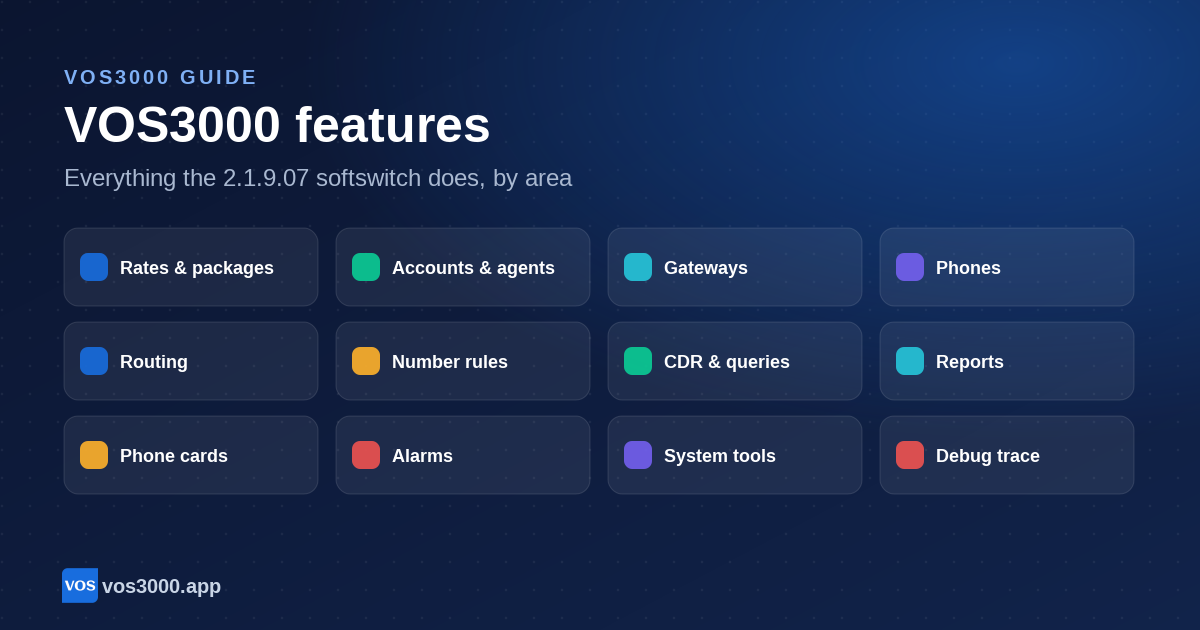
This list follows chapter 2 of the official VOS3000 2.1.9.07 manual, area by area, then the advanced functions in chapter 4. Names in bold are the menu names in the VOS3000 client. Where we have a guide, the item links to it. For an introduction first, read what is VOS3000.
Rates and packages
- Rate group management and Rate management: prices per prefix for billing. Rates.
- Package group management, Package period rate management, Package free duration management: bundles, period rates and free minutes. Packages, free time.
Accounts and agents
- General account and Payment: prepaid and postpaid billing accounts. Accounts, overdraft.
- Agent account: resellers with sub accounts, charged by their own rates. Agents.
- Authorization management and Number section limitation. Agent authorizations.
- Modify Cdr: re-rate an account's past calls. Modify CDR.
Gateways
- Routing gateway: vendors and carriers. Routing gateway.
- Mapping gateway: customers sending traffic. Mapping gateway.
- Gateway group: a shared line limit. Prefix mode and groups.
- Online routing gateway, Online mapping gateway, Gateway status, and the two gateway network views. Network test.
Phones
- Phone management and Online phone: SIP and H.323 phones registered to the switch. SIP phones, call permissions.
Number management
- Number section query, Area information, Number transform. Number management.
- Black/White list group, System white list, Dynamic black list. Blacklists.
Routing and the softswitch
- Routing analysis, Call analysis, Registration analysis, Network test: simulate a route and check a problem.
- Current call. Live calls.
- Registration management and Domain management: register to other platforms. Register to a carrier.
- Geofencing. Geofencing.
- Softswitch management: SIP, H.323 and media settings. System parameters.
- Internal audio: error prompt audio files. Audio services.
CDR and queries
- Recent CDR and CDR. CDR.
- Payment record, Bill query, Clearing query. Bill query.
Reports and CDR analysis
- Bill report, Clearing report, Analysis report, Report management, Other income report. Reports.
- Call distribution, Historical performance, Mapping gateway analysis, Routing gateway analysis, Area analysis. Fail analysis.
Phone cards and alarms
- Phone card. Phone cards.
- Alarm settings (system, network, disk, process, mapping, routing, balance, external device), Current alarm, History alarm. Alarms.
System, interfaces and tools
- User management, System log. System log.
- System parameter, Work calendar, System information. Time-based routing.
- Data maintenance. Disk cleanup.
- Online user, Operation performance, Process monitor, Server monitor. Server monitor.
- Web access control and Web service equipment (Interface management).
- Operation wizard, Customer fee rate automatically create, Compare fee rate group minute cost. Profit tools.
- Debug trace, Local settings, Lock system. Debug trace, client tips.
Advanced functions (chapter 4)
- Network routing quality reserve time. Routing order.
- NAT keep. SIP ALG and NAT.
- SIP timer protocol. SIP timeouts.
- Signaling QoS, with SS_QOS_SIGNAL and SS_QOS_RTP.
- Enable bilateral reconciliation. Bilateral reconciliation.
- Dial plan. Dial plan.
- Media proxy. Media proxy.
- Package billing order, Parameter description, CDR text files, call end reasons. CDR text files, end reasons.
The manual also has a wholesale first-use walkthrough (wholesale setup), the pickup call transfer (call transfer) and maintenance commands (restart services). To see how these changed over time, read the version history. To run VOS3000, see VOS3000 hosting.
Questions about this topic
What are the main features of VOS3000?
Routing and billing in one system: rate groups, packages, prepaid and postpaid accounts with agents, mapping and routing gateways, SIP phones, CDR, reports, alarms and number management.
Does VOS3000 support SIP and H.323?
Yes. Gateways and phones can use SIP or H.323, and the manual has separate settings and timeouts for each protocol.
Does VOS3000 have least cost routing?
Yes. A routing gateway can be sorted by lowest rate per second, next to prefix length, priority and real-time routing quality.
Which manual is this list based on?
The official VOS3000 2.1.9.07 manual, Issue 03, dated 2021-12-30. Older versions have most of these features but not all.
Run VOS3000 without the server work
Pick a VOS3000 server hosted by us, or have us install VOS3000 on your own server. VOS3000 Web and the Android app come with it.
Keep reading
What is VOS3000?
The VOS3000 softswitch explained: gateways, accounts, rates, billing and CDR.
VOS3000 version history
What each official VOS3000 manual adds, from 2.1.4.0 (2013) to 2.1.9.07 (2021): new menus, gateway settings and tools, by manual issue date.
Wholesale setup, step by step
From an empty switch to a first billed call: rate group, rates, account, mapping and routing gateway.
System parameters
Where the SERVER_ and SS_ parameters are, and the billing, CDR and call ones worth knowing.